ASuite application: Control and adjustment of intelligent antennas and programmable amplifiers
ASuite is an application designed for programming and adjusting devices that receive, filter, and amplify television signals in an installation. With ASuite, it is possible to manage the performance of the SmartNova antenna, the SmartKom mast amplifier, all series of Avant programmable amplifiers, and the Overlight series of optical transmitters.
The device programming process is simple and highly intuitive, allowing for a perfect configuration of the installation in just a few steps. The connection to the device is wireless and done via Bluetooth®, eliminating the need to physically access hard-to-reach locations for configuration. All this makes ASuite a highly valuable application for installers seeking speed and convenience.
The application is available for free on iOS and Android mobile devices.
*Legacy version available for Windows and Mac. Compatibility with each product can be found in the "Technical specifications" section.
Download the app




- User-friendly and intuitive interface:device configuration is done in just 3 steps, with multiple functionalities at your fingertips
- Reference auto detection: just by selecting the type of device to be configured, ASuite detects the reference and displays its current configuration
- Easy connection: the connection with the device is wireless (Bluetooth®), avoiding the need to go to locations that are difficult to access
- Quick installation: configurations can be programmed in advance and without being connected to the device. The installation will be configured in less than a minute, simply by uploading the configuration and adjusting the settings
- Signal quality monitoring: the channels programmed in the filters can be analysed in real time in the application, as well as being able to download a detailed PDF report
The following table shows the compatibility of each ASuite version with different products, as well as the required type of connection.
| iOS | Android | Windows | macOS | |
| SmartNova SmartKom Overlight Avant 12 |
Bluetooth® | - | ||
| Avant X Avant 9 Avant 6 |
- | USB OTG | ||
Packing
| tlv_discontinued | No | |||||||||||||||
|---|---|---|---|---|---|---|---|---|---|---|---|---|---|---|---|---|
| tlv_reflog | ASUITE | |||||||||||||||
| tlv_tabla_especificaciones | The following table shows the compatibility of each ASuite version with different products, as well as the required type of connection.
|
|||||||||||||||
| tlv_ean | 8424450212745 | |||||||||||||||
| tlv_dim_product_x_label | Width | |||||||||||||||
| tlv_dim_product_y_label | Height | |||||||||||||||
| tlv_dim_product_z_label | Depth | |||||||||||||||
| tlv_weight_product_label | Main product weight | |||||||||||||||
| tlv_gross_weight_label | Gross weight | |||||||||||||||
| tlv_net_weight_label | Net weight | |||||||||||||||
SmartNova intelligent antenna
Automatic configuration in seconds
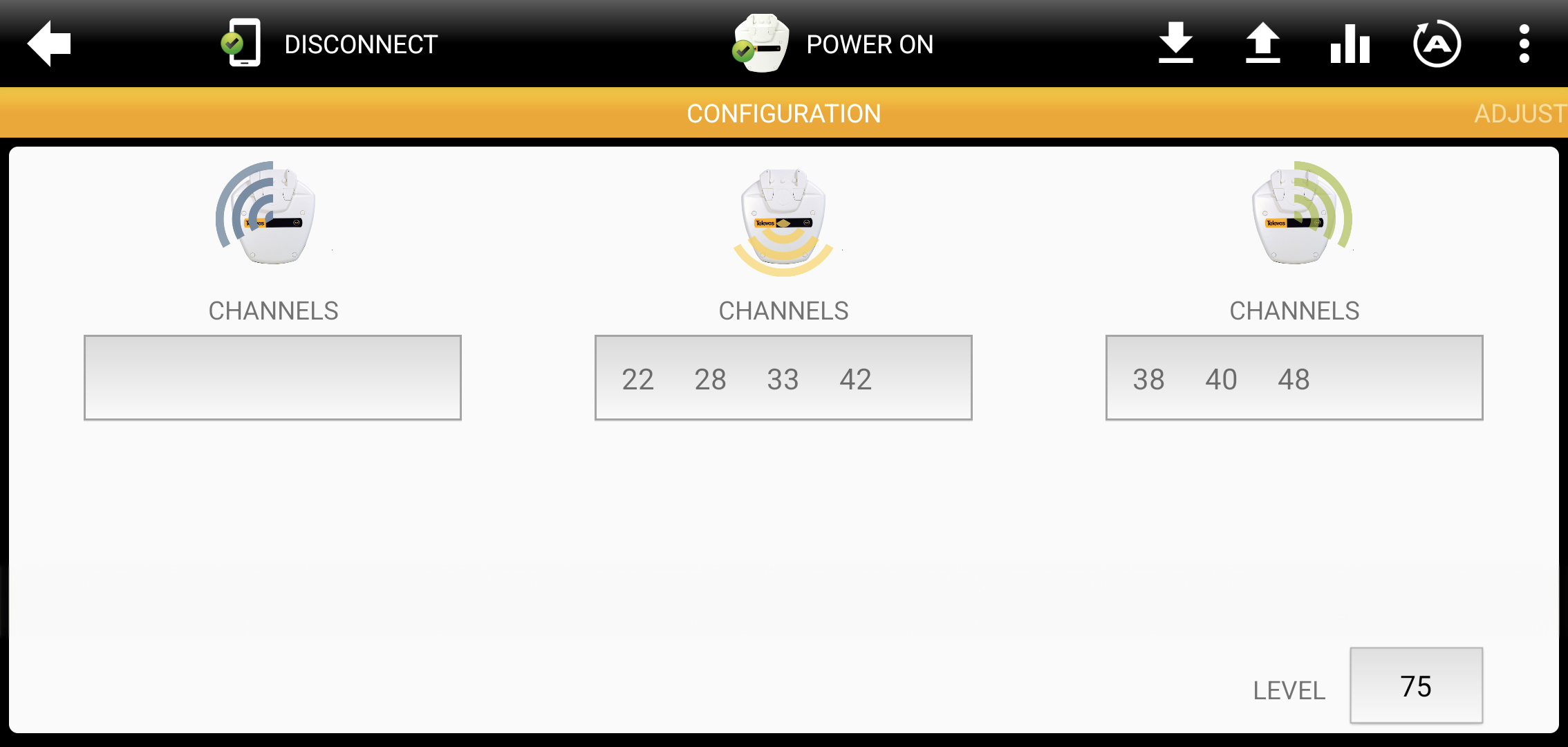
With the ASuite app, the user can launch the “auto programming” option directly from their smartphone, achieving an optimal channel selection and balanced adjustment without needing physical access to the power supply or the antenna. Additionally, it allows manual channel adjustment if preferred and the power supply can be switched off to save the vehicle’s battery.
SmartKom mast amplifier
Filters, mixes, amplifies and balances at the touch of a button
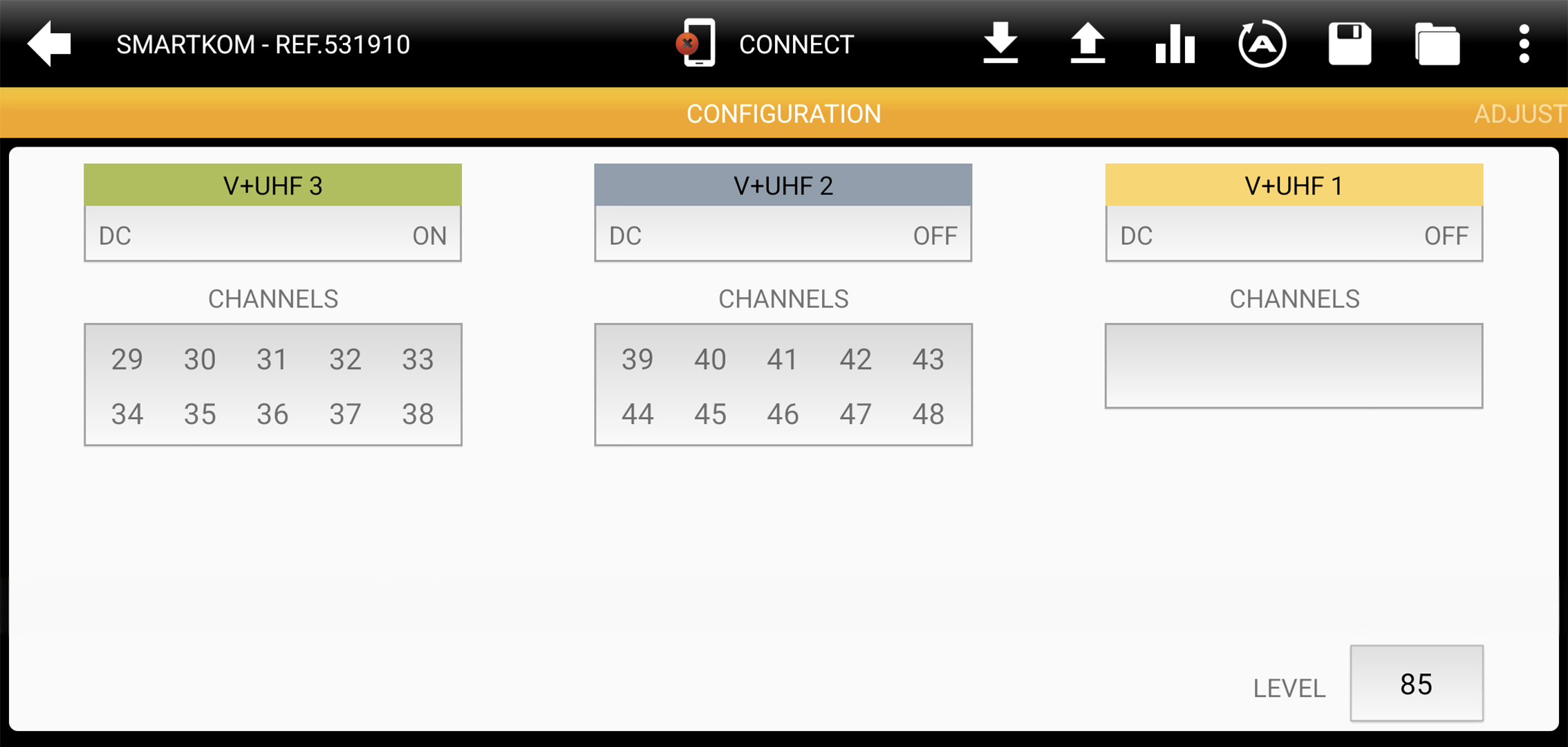
Device programming, whether manual or automatic, can be carried out wirelessly, avoiding the need to physically climb the mast. By pressing the auto programming button, the amplifier automatically assigns and adjusts the channel levels, and activates the antenna power supply when it detects that the signal requires it.
Avant programmable amplifiers
Advanced programming made easy
The ASuite app integrates multiple functions in one place to make configuring Avant headends as simple as possible, whether it’s quick autoprogramming or advanced adjustments:
- Channel filter programming
- Autoprogramming*
- Automatic channel level adjustment with manual fine-tuning
- Antenna power supply activation
- Import/Export of configurations
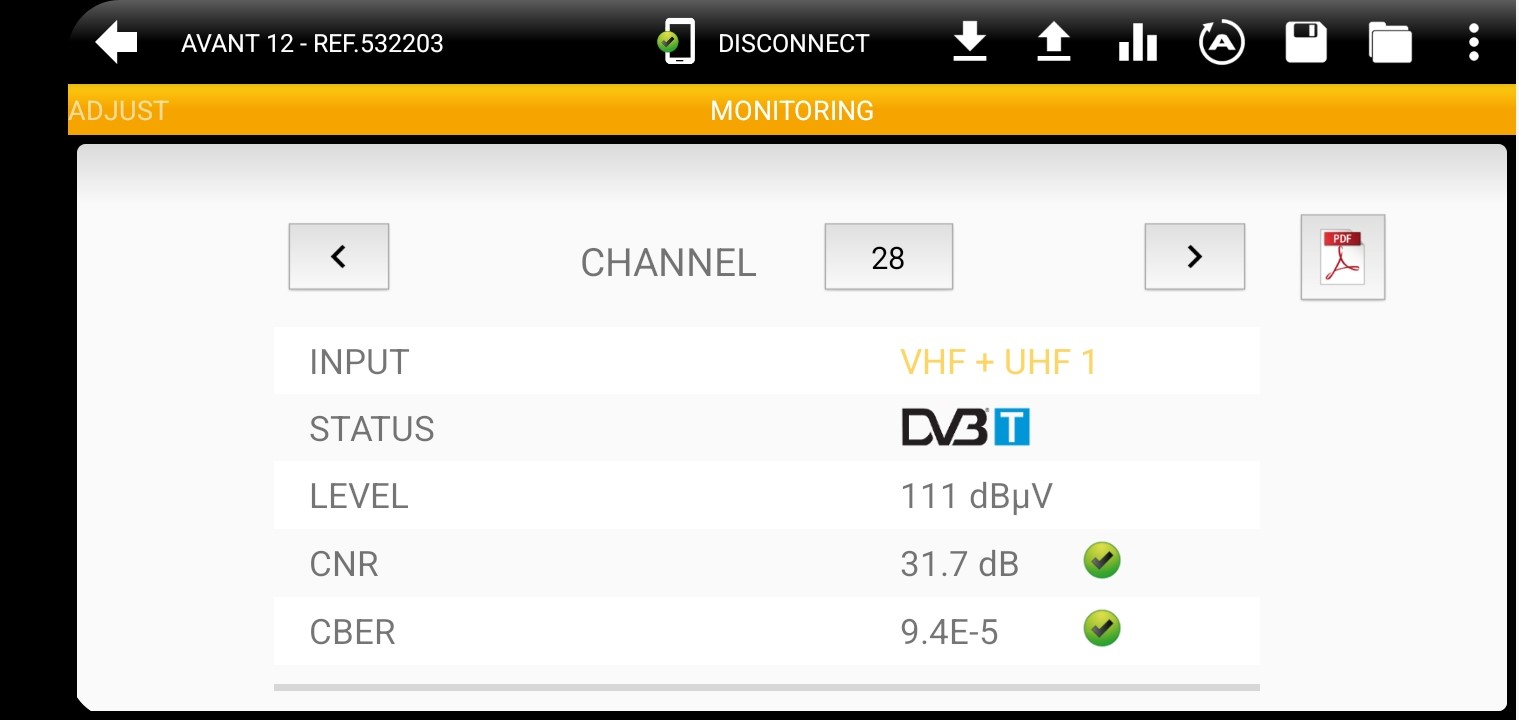
In addition, ASuite monitors key parameters of each channel in real time, such as CNR, CBER, or PER. This data can be exported in detailed PDF reports, making analysis and documentation of the installation status easier*.
*Depending on product model.
Overlight optical transmitters
Signal monitoring and control in one place
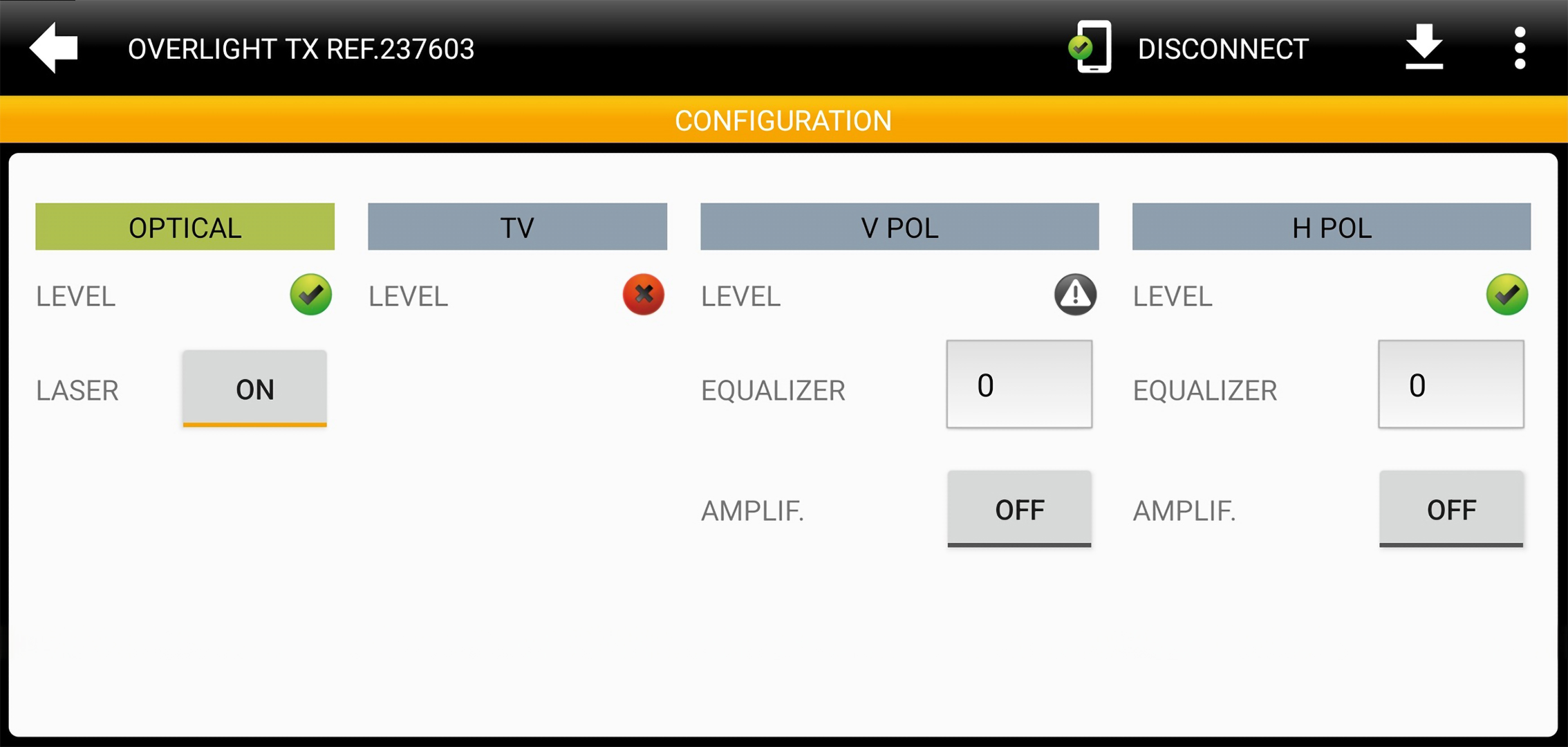
The system enables advanced monitoring of inputs and outputs. The optical output includes a power indicator and a shutdown switch for safe handling. Meanwhile, the RF inputs are monitored in real time to ensure optimal signal levels and facilitate fault detection.
Additionally, it offers individual control of equalization and amplification on each satellite input, allowing the system to be adjusted according to installation needs and to optimize signal quality.